Using Claude AI to make a Google Reader like app.
Mermaid
I was told by a JD Long at a recent conference where I brought up Code2Flow that Mermaid could be used just like Code2Flow within R/Github/etc to draw flowcharts, but it also has other functions that makes it a more generally useful program. Thanks James!
Mermaid is also accessible within R Studio so I can try it here.
Mermaid Live Editor at https://mermaid.live/edit#
Simple Mermaid diagram In R Studio, DiagrammeR would be the package to install for producing Mermaid graphics.
[Read More]
Code2Flow
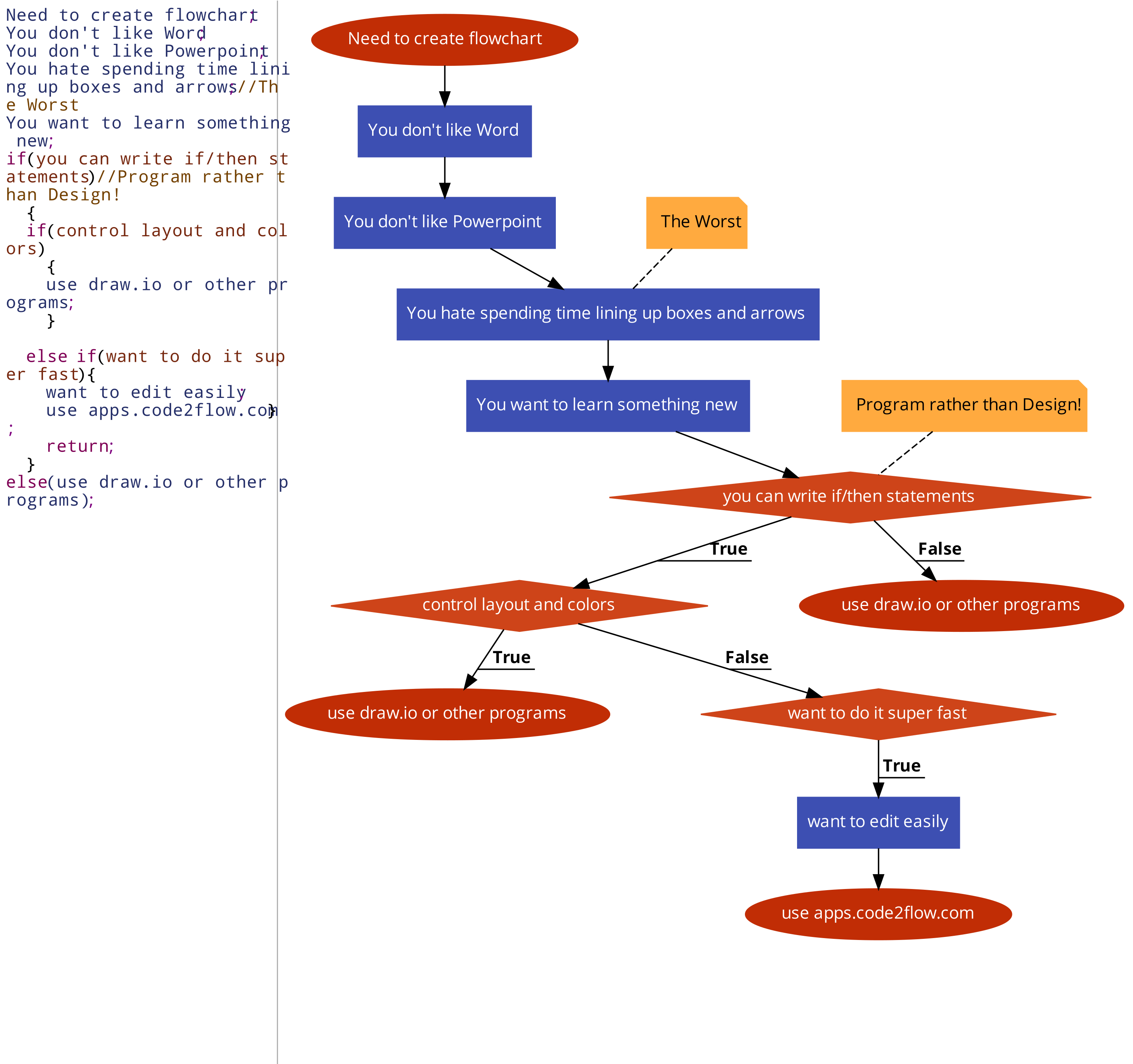
Site to programmatically design flow charts. https://app.code2flow.com/
I even made a flowchart to see if it’s right for you!
ChatGPT Shiny R app
This is a simple integration of ChatGPT into shiny R. At first I wanted to do this in Python but it was easier to do a web app in R Shiny. I used code from this site to get started:
https://www.listendata.com/2023/05/chatgpt-in-r.html#steps_to_run_chatgpt_in_r
The app is hosted at: https://twong.shinyapps.io/chat_bot/
The R code for this shiny app is below.
library(shiny) library(httr) ui <- fluidPage( titlePanel("ChatGPT Shiny App"), textInput("user_input", "Enter your message:"), actionButton("submit_btn", "Submit"), p(""), textOutput("chat_output"), p(""), p("Code for this page is at https://codelooper.
[Read More]
Ideas from programming
- Version Control and GitHub + Main/Branches, Push/Pull/Merge
- Functions/Modules
- Methods should be deep.
- Write the interface first
- Try to minimize exceptions
- define them away
- Be strategic + Invest in building the future/don’t introduce bad code today
- Write the unit test before the useful code
- Make sure you do input validation